

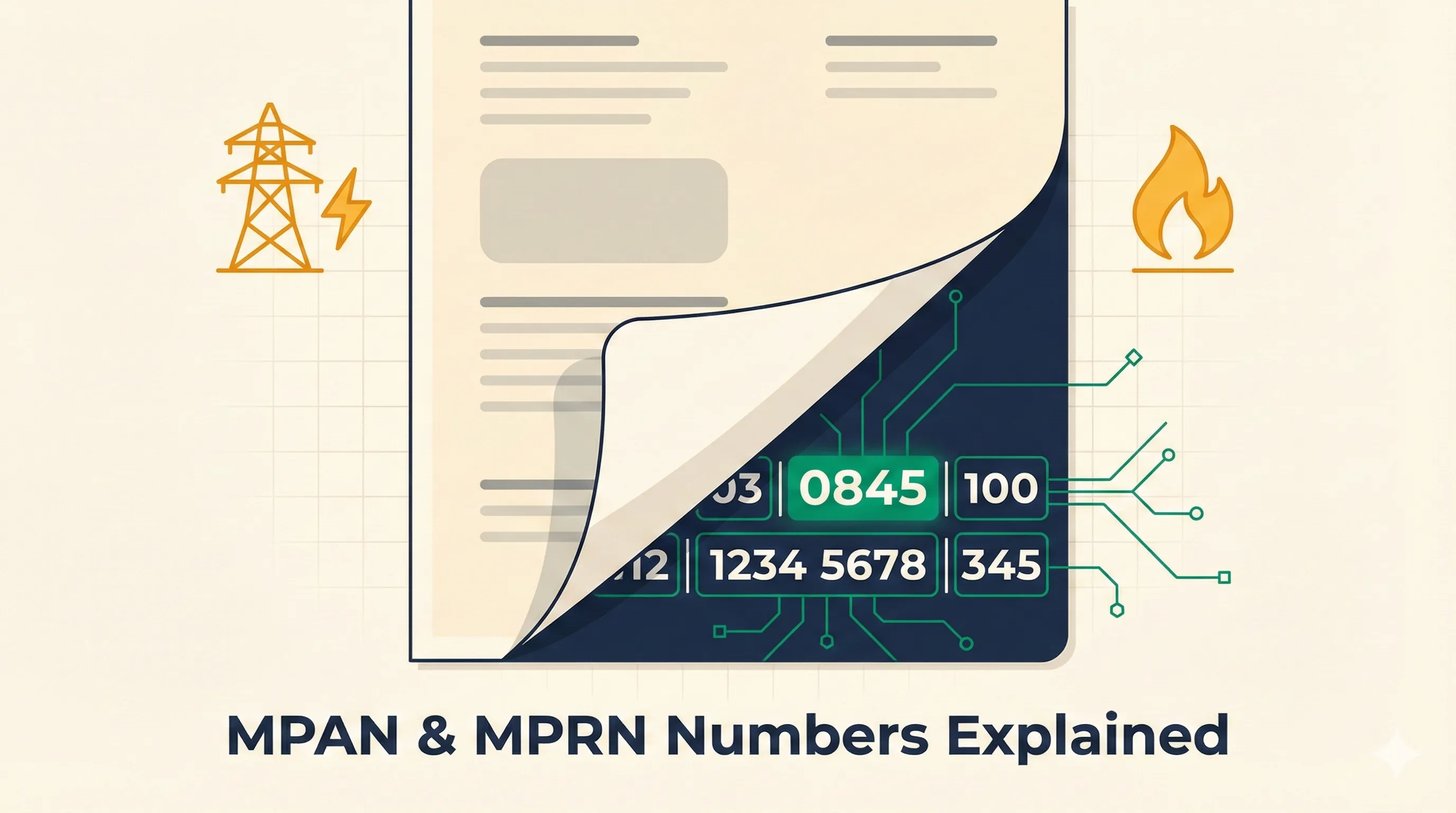
Your MPAN is a 21-digit number on your electricity bill that uniquely identifies your supply point - and your MPRN is the 6 to 10-digit equivalent for gas. You need both to switch supplier, get quotes, or resolve billing disputes. Here is everything a UK business owner needs to know about them.
TL;DR: Key Takeaways
- Your MPAN (electricity) and MPRN (gas) are unique reference numbers that identify your business energy supply points. You need them to switch supplier, query a bill, or request quotes. They are tied to your premises - not your supplier - so they never change when you switch.
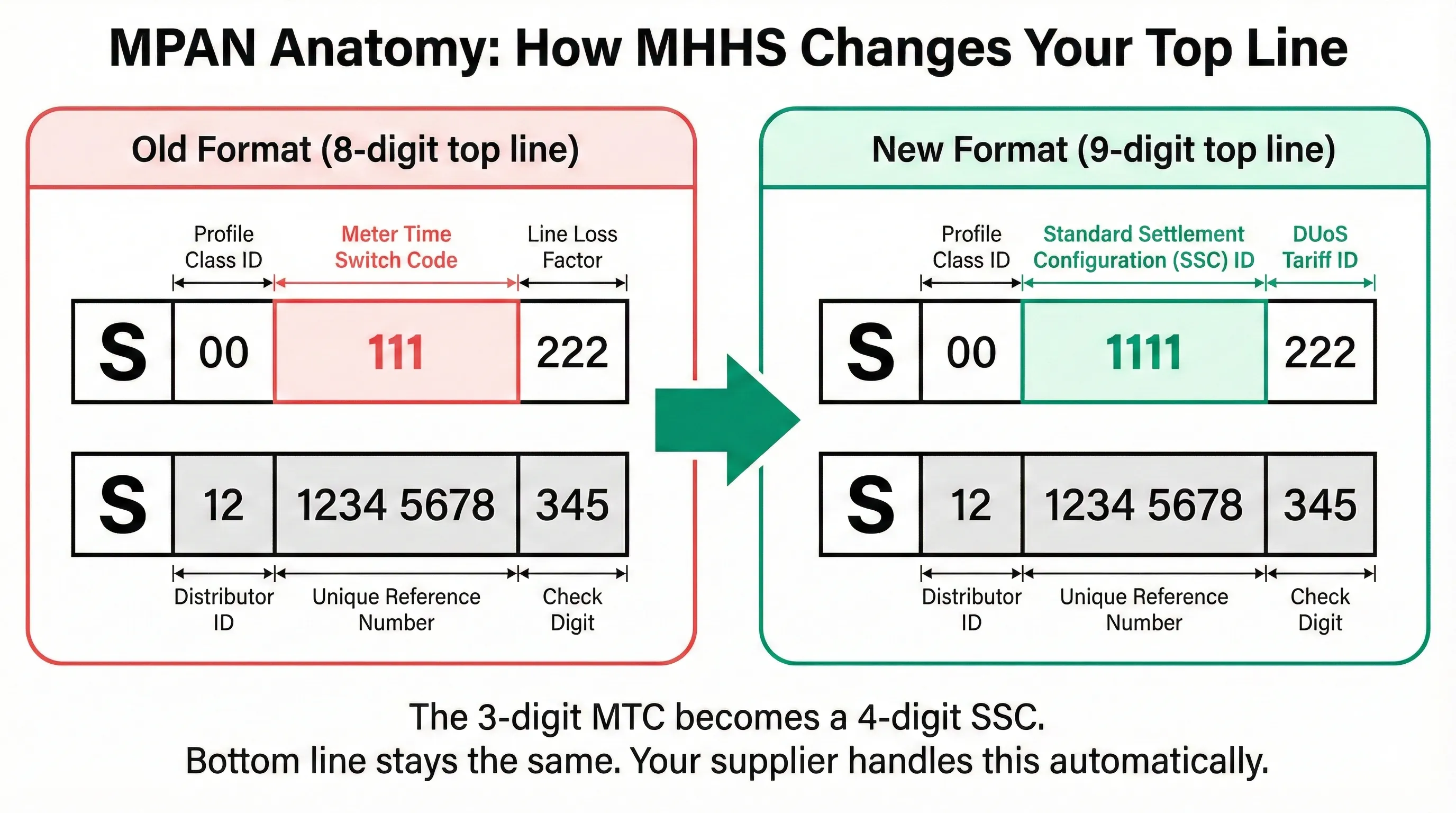
- Right now, the MPAN top line is changing. Under MHHS, it is expanding from 8 to 9 digits as the old 3-digit Meter Timeswitch Code (MTC) is replaced by a 4-digit Standard Settlement Configuration (SSC) ID. Your supplier handles this automatically.
- Your 13-digit bottom line never changes. Not when you switch supplier, not when MHHS rolls out, not when your meter is replaced. It is permanent.
- Getting these numbers wrong is the most common cause of failed switches and billing disputes. Your new supplier needs the MPAN and MPRN - not your meter serial number or account number.
What Is an MPAN?
An MPAN - Meter Point Administration Number - is a unique 21-digit reference that identifies a single electricity supply point in the UK. Every business premises with an electricity connection has one.
Think of it as a postcode for your electricity meter. It tells suppliers, distribution network operators (DNOs), and settlement systems exactly which connection they are dealing with.
Your MPAN is split across two lines. On your bill, you will usually see an “S” printed before the top line - this stands for “Supply” (the MPAN is also called the “S Number” or “Supply Number”) and is just a label, not part of the 21 digits.
The top line (technical codes)
The top line contains data about how your meter is configured and billed. Historically, this was 8 digits in three blocks:
| Position | Old format (8-digit) | What it means |
|---|---|---|
| First 2 digits | Profile Class | Which settlement profile your meter uses (e.g. 00 = half-hourly metered, 03 = non-domestic single rate, 04 = non-domestic two-rate day/night) |
| Next 3 digits | Meter Timeswitch Code (MTC) | How many registers your meter has and when each one records |
| Last 3 digits | Line Loss Factor Class (LLFC) | Your supply point’s category for network losses and distribution charging |
The MTC tells the settlement system how your meter counts electricity. A single-rate meter has one register (one counter that tracks all usage regardless of time). A two-rate meter like Economy 7 has two registers - one counting daytime kWh and one counting overnight kWh. The MTC code identifies exactly which configuration your meter uses.
The LLFC categorises your supply point for two purposes: calculating the Line Loss Factor (a multiplier that accounts for electricity lost as heat in cables between the grid and your meter) and determining which DUoS tariff band applies to your connection. LLFCs have been alphanumeric (able to contain letters as well as numbers) since 2016.
Example (old format): 03 845 100
The MHHS change: 8 digits becomes 9
Under MHHS, the 3-digit MTC is being replaced by a 4-digit Standard Settlement Configuration (SSC) ID. This adds one digit to the top line:
| Position | New format (9-digit) | What it means |
|---|---|---|
| First 2 digits | Profile Class | Which settlement profile your meter uses |
| Next 4 digits | SSC ID (replaces MTC) | How many registers your meter has and when each one records |
| Last 3 digits | DUoS Tariff ID (replaces LLFC) | Your distribution network charging band |
The SSC does the same job as the old MTC but with more granularity. It specifies how many registers (separate counters) your meter has and the exact time windows each register is active. For example, an SSC might define two registers - one recording usage from 07:00-00:00 (your “day” reading) and another recording 00:00-07:00 (your “night” reading). Your supplier uses this to apply the right rates to each register’s consumption. Half-hourly meters display SSC 0000 because they record every 30-minute interval individually rather than using fixed register windows.
The DUoS Tariff ID replaces the old LLFC. Instead of a code that mapped to both line loss calculations and distribution charges, the new field maps directly to your DNO’s distribution charging band. It can be alphanumeric.
Example (new format): 03 0845 100
Here is a side-by-side comparison:
| Old format | New format | What changed | |
|---|---|---|---|
| Digits | 8 (2 + 3 + 3) | 9 (2 + 4 + 3) | +1 digit |
| First block | Profile Class (2 digits) | Profile Class (2 digits) | No change |
| Middle block | MTC (3 digits) | SSC ID (4 digits) | Replaced and expanded |
| Last block | LLFC (3 characters) | DUoS Tariff ID (3 characters) | Replaced |
| Bottom line | 13 digits | 13 digits | No change - ever |
A few things to note about this change:
- Your supplier handles it. You do not need to apply for or request the update. It happens automatically as your meter is migrated to half-hourly settlement.
- Business meter migration is coming, but it hasn’t happened for most SMEs yet. Suppliers have been focusing on domestic meters first. The main migration window for business meters runs from April 2026 to May 2027, with larger suppliers likely migrating their customers first. If you are on a non-half-hourly meter (Profile Class 03 or 04), expect your top line to change during this period.
- Old bills will look different. If you are reconciling historical bills against current ones, the top line format difference is expected - it does not mean your supply point has changed.
The bottom line (your unique identifier)
The bottom line is the important one for switching. It is a 13-digit number that uniquely identifies your supply point:
| Digits | What they represent |
|---|---|
| First 2 | Distributor ID - identifies your DNO or IDNO region (10-23 for DNOs, 24+ for IDNOs) |
| Next 10 | Unique reference number for your specific metering point |
| Last 1 | Check digit (mathematical verification calculated from the other 12 digits) |
The bottom line never changes. Not when you switch supplier, not when MHHS rolls out, not when your meter is physically replaced. The MPAN identifies the supply point (the connection to your premises), not the meter device itself. If you get a new smart meter installed, your MPAN stays the same - what changes is the meter serial number. The Elexon MSID/MPAN guidance (opens in new tab) confirms that the MPAN core (bottom line) is the permanent identifier for the metering system.
When someone asks for your “MPAN” during a switch, they usually mean the 13-digit bottom line - though providing the full 21 digits (both lines) gives them the complete picture.
How to spot an IDNO MPAN
The first two digits of the bottom line (the distributor ID) tell you which network your supply is on. The 14 regional DNOs use codes 10-23. If your distributor ID is 24 or above, your electricity supply is on an IDNO (Independent Distribution Network Operator) network - a smaller, localised network typically serving new-build business parks, housing developments, or commercial sites. IDNOs are licenced by Ofgem, but they operate independently from the main regional DNOs. For example, Independent Power Networks is 24, ESP Electricity is 25, and Last Mile is 26.
Like IGT gas connections, IDNO electricity connections can sometimes mean higher standing charges or fewer supplier options. If you are on a new-build site and your standing charges seem high, check whether your distributor ID is 24 or above - it could explain the premium.
What Is an MPRN?
An MPRN - Meter Point Reference Number - is the gas equivalent. It is a 6 to 10-digit number that identifies your gas supply point.
Unlike the MPAN, the MPRN is simpler - just one string of numbers with no top line/bottom line split and no profile class data. It is managed by Xoserve (opens in new tab), the central data service for the gas industry.
How to spot an IGT MPRN
If your MPRN starts with 74, 75, 76, or 77, your gas connection is on an Independent Gas Transporter (IGT) network rather than the main National Gas distribution network. This matters because:
- Some suppliers will not quote for IGT connections
- Standing charges on IGT networks can be higher due to additional transportation charges
- You may have fewer supplier options
How to Find Your MPAN and MPRN
On your bill
Your MPAN will be on every electricity bill. Look for labels like “MPAN”, “Supply Number”, or “Meter Point Administration Number”. The full 21-digit number (both lines) should be visible.
Your MPRN will be on every gas bill, usually near the meter serial number. Look for “MPRN”, “Gas Supply Number”, or “Meter Point Reference Number”.
Without a bill
If you have recently moved into premises or cannot find a recent bill:
- Find My Supplier (opens in new tab) - Free industry tool. Enter your postcode to find your current gas supplier and MPRN. For electricity, you will need to contact your local DNO directly.
- Meter Number Helpline - For electricity: 0330 10 10 310. For gas: 0870 608 1524. Provide your address and they will look it up.
- Your DNO - Your local distribution network operator can provide your MPAN if you give them the site address. Find your DNO at the Citizens Advice supplier checker (opens in new tab).
- The meter itself - Your MPRN is sometimes printed on the front of the gas meter. Your MPAN is not on the electricity meter (a common misconception - the number on the meter is the meter serial number, which is a different thing entirely).
Do not confuse these numbers
| Number | What it is | Digits | Where to find it |
|---|---|---|---|
| MPAN | Electricity supply point ID | 21 (two lines) | Electricity bill |
| MPRN | Gas supply point ID | 6-10 | Gas bill or gas meter |
| Meter serial number | Physical meter device ID | Varies | Printed on the meter |
| Account number | Your account with one supplier | Varies | Bill header |
Getting these mixed up is the most common cause of failed switches and billing disputes. Your new supplier needs the MPAN and MPRN - not your meter serial number or account number.
Why Your MPAN Matters More Than You Think
Your MPAN is not just an ID number. The Profile Class in the top line directly affects how you are billed.
Profile Class 03 (non-domestic single rate) means your usage is currently estimated using a standard industry demand profile. You pay the same unit rate regardless of when you use electricity.
Profile Class 04 (non-domestic two-rate) means you have a day/night meter with two registers - one recording peak hours and one recording off-peak hours, each charged at a different rate.
Profile Class 00 (half-hourly metered) means your actual half-hourly consumption is measured and settled. This can be cheaper if you use more power off-peak, but comes with additional charges for data collection and settlement.
What happens when your meter migrates to MHHS
Under MHHS, all meters are being migrated to half-hourly settlement. When your meter migrates, your Profile Class changes to 00. Here is what that actually means for your business:
Your existing contract stays valid. Migration does not trigger early termination or force a renegotiation. Your contracted unit rate holds until renewal.
New charges become visible. Right now, MOP (Meter Operator) and DC (Data Collector) costs are bundled invisibly into your unit rate or standing charge. After migration, they become separate line items. This feels like “new” charges appearing on your bill, but you were always paying them - they just were not itemised. The difference is that you can now see what you are paying and, crucially, you have the right to appoint your own MOP and DC providers through the Association of Meter Operators (opens in new tab) rather than accepting your supplier’s default (which is typically more expensive).
Time-of-use tariffs become available but are not automatic. Migration does not force you onto variable pricing. But at your next renewal, your supplier may offer time-of-use rates with cheaper off-peak windows. If your business can shift any usage outside peak hours - running dishwashers overnight, charging EVs off-peak, scheduling batch processes for evenings - this could offset some of the new visible charges.
Billing moves from estimates to actuals. Instead of your supplier assuming a typical demand curve for your Profile Class, they will settle based on actual half-hourly data. If you have a smart or AMR meter, this means precise reads. If you have an older meter without smart capabilities, your consumption will be estimated using a more granular load-shaping model - though at that point, there is a strong incentive to upgrade to a smart meter. DESNZ has consulted on requiring smart meters for new business energy contracts (opens in new tab) from January 2027 - meaning suppliers may soon be unable to offer fixed-term deals to businesses without smart or advanced metering.
Multi-Site Businesses: Common Pitfalls
If your business operates across multiple premises, each site has its own MPAN and MPRN. Common mistakes include:
- Quoting the wrong MPAN when requesting quotes - you get a price based on the wrong site’s profile and load data
- Switching only some meters when you intended to switch all sites
- Mismatched change of tenancy where one site’s meter is registered to a previous tenant
Keep a spreadsheet of every site’s MPAN, MPRN, meter serial number, and contract end date. It sounds tedious, but it prevents the kind of billing errors that cost multi-site businesses thousands in reconciliation.
What Happens If You Get It Wrong
Providing the wrong number (or no number) when switching causes predictable problems:
- Switch fails silently - You think you have moved supplier, but the old contract is still running. You end up on deemed rates at 40-60% above market.
- Dual billing - Two suppliers think they are serving your meter. Untangling this takes weeks and involves the Energy Ombudsman if suppliers will not cooperate.
- Wrong tariff - If the MPAN data does not match your actual meter setup, you could be billed under the wrong Profile Class. A Profile 00 business billed as Profile 03 (or vice versa) will overpay or underpay, leading to large reconciliation adjustments.
- Delayed quotes - Brokers and suppliers cannot price your supply without a valid MPAN. Every day of delay is another day on your current (potentially expensive) contract.
Stop Digging Through Bills
If this sounds familiar - you know the MPAN is on your bill somewhere, you have never really understood what it means, and you cannot find it when you actually need it - you are not alone. Most business owners we speak to have been through the frantic PDF hunt when a broker or supplier asks for their MPAN, only to end up reading out their meter serial number by mistake.
That is exactly why we built Meet George. Upload your energy bill - any format, any supplier - and our AI reads the whole thing in seconds. MPAN, MPRN, contract dates, unit rates, standing charges, consumption data. All extracted, structured, and ready to compare.
No squinting at PDFs. No calling the Meter Number Helpline. No accidentally giving your meter serial number to a supplier and wondering why the switch failed. And unlike a broker, we show you the supplier’s rate and our 1p/kWh fee separately - so you can see exactly what you are paying and to whom.
Can’t find your MPAN? Upload your latest bill and George shows it in seconds, ready to copy, with what it tells you about your meter, such as its type and your network region.
Further Reading
- How to read your business energy bill - Understand every line item on your electricity and gas bills
- 5 extra charges on half-hourly meters - What MHHS migration means for your costs
- How to switch business energy supplier - Step-by-step guide to switching (you will need your MPAN)
- Standing charges explained - Why you pay a daily fee even when you use no electricity


